Top 10 Reasons Why DDR5 Is Faster Than DDR4?

Time:2026-11-03 Author:Sienna
0%

Why DDR5 is faster than DDR4 is not simply a story about a higher number on the box. The advantage comes from several design changes that help move more data each second. A DDR5-6000 kit, for example, has a higher peak transfer rate than a typical DDR4-3200 kit. That extra bandwidth can help a modern processor feed integrated graphics, large creative projects, and memory-heavy workloads. The gain is not automatic.

DDR5 divides each module into two 32-bit subchannels, which can improve access efficiency for certain requests. It also has more banks and bank groups, allowing more operations to stay ready at once. On-module power management and revised voltage control support the newer standard. Higher capacities can make larger memory pools practical, too. Details matter. These specifications do not guarantee a faster computer in every task. Some games and everyday apps show only a small difference, especially when the processor or graphics card limits performance. DDR5 latency can also look higher on paper, so transfer rate alone is an incomplete comparison.

This guide explores ten reasons behind DDR5’s performance edge, explains what each change does, and separates practical benefits from marketing claims. Results vary with the CPU, motherboard, memory timings, and workload. Numbers need context. Is DDR5 always worth the price? Not quite. A careful comparison can help you decide whether the upgrade fits your system and budget.
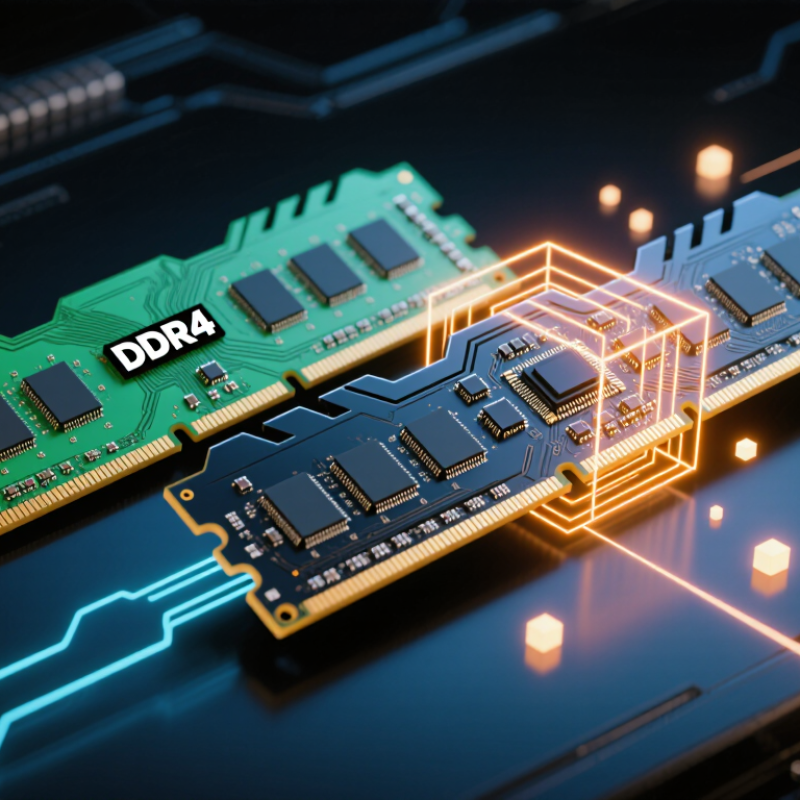
Top 10 Reasons Why DDR5 Is Faster Than DDR4?

DDR5 and DDR4: Key Architectural Differences

DDR5’s speed advantage begins with its architecture, not just its headline transfer rate. JEDEC’s JESD79-5C standard specifies data rates up to 6,400 MT/s, while JESD79-4C sets DDR4’s standard maximum at 3,200 MT/s. At those rates, theoretical peak bandwidth reaches 51.2 GB/s versus 25.6 GB/s on a 64-bit channel. Real workloads complicate the neat chart. A faster memory standard cannot remove delays caused by the processor, software, or workload.

The channel design also changes. A DDR5 module splits its 64-bit data path into two independent 32-bit subchannels. That can handle smaller memory requests more efficiently and reduce wasted transfers. DDR5 also adds on-die error correction, but this does not replace system-level error-correcting memory. Easy to confuse. Its lower standard operating voltage, 1.1 volts versus DDR4’s 1.2 volts, and on-module power management further distinguish the design. These details help explain why DDR5 can move data faster, though they do not guarantee every computer feels faster. Real results depend on the memory controller, timings, and task. I would be cautious about judging performance from transfer rate alone.

Higher Data Rates and Increased Memory Bandwidth

DDR5’s higher data rates move more information each second than DDR4’s. Data rates are measured in megatransfers per second, not megahertz. A DDR4-3200 module transfers 3,200 million times per second; DDR5 commonly starts at 4,800 MT/s. That is substantial. The extra transfers raise theoretical bandwidth, the amount of data a memory channel can carry.

For a 64-bit-wide data path, DDR4-3200 offers up to 25.6 gigabytes per second, while DDR5-4800 reaches 38.4 gigabytes per second. Actual results depend on the processor, memory settings, and workload. DDR5 also divides each module into two independent 32-bit subchannels. This can help the memory controller handle separate requests more efficiently, though it does not make every task faster. Large file operations or memory-heavy calculations may benefit more than everyday browsing. Numbers are not the whole story. I would not call every upgrade dramatic: a system can spend much of its time waiting on storage, software, or the processor instead.

Higher Data Rates and Increased Memory Bandwidth

DDR5-4800 provides 50% more theoretical bandwidth than DDR4-3200, while DDR5-6400 provides twice as much. Values show theoretical peak bandwidth for a 64-bit memory interface; actual performance depends on the system and workload.

Improved Channel Design and Parallel Data Access

Top 10 Reasons Why DDR5 Is Faster Than DDR4?

Improved Channel Design and Parallel Data Access

DDR5 changes how a memory module handles requests. A standard DDR5 module splits its 64-bit data path into two independent 32-bit subchannels. DDR4 uses one 64-bit channel per module. Each DDR5 subchannel can manage requests separately, helping the memory controller keep more work moving at once. Think of two checkout lines instead of one. Both still serve the same store, but the arrangement can reduce delays when requests are ready.

This design can improve efficiency, especially when a processor accesses separate areas of memory. Smaller data transfers may use a subchannel without occupying the entire module’s data path. That can help busy workloads, such as multitasking or some content creation tasks. It does not make every operation twice as fast. Results depend on the processor, memory settings, and workload. It is easy to overstate the benefit: parallel access helps most when there are independent requests to handle.

Tips: Compare performance using the same processor and workload, and check that memory is running at its rated settings. Watch for real application results, not just peak bandwidth figures. Small gains are still gains.

Lower Operating Voltage and On-Module Power Management

DDR5 operates at a standard voltage of 1.1 volts, compared with DDR4’s 1.2 volts. That is a modest reduction, not a dramatic one. Lower voltage can reduce electrical power used by the memory chips, especially when a system has several modules working under sustained load. Think of a long gaming session or a busy workstation exporting video: small savings across repeated operations can matter. But voltage alone does not determine total power use. Capacity, data rate, workload, and module design all play a part.

DDR5 also moves power management onto each memory module. A power-management chip converts and regulates incoming power close to the memory chips, rather than relying as heavily on circuitry on the motherboard. This can help deliver steadier power and gives module-level control over power conditions. The layout is more localized. That can help. It also adds a component to the module, so it would be careless to call the design automatically more efficient in every system. Actual temperatures and energy use depend on the build and workload, and a quick benchmark may not reveal much. The practical difference can be subtle, which is easy to overlook when comparing headline specifications.

Greater Capacity and Performance Scaling for Modern Systems

DDR5’s greater capacity and bandwidth help modern systems handle larger workloads. Higher-density modules can provide more memory in the same number of slots. That matters when a workstation keeps large images, datasets, or several demanding applications open at once. More room can reduce slow trips to storage when memory would otherwise fill up.

Its architecture also gives each module two independent subchannels, helping move data more efficiently. Higher transfer rates can benefit integrated graphics and memory-heavy tasks, though results depend on the processor, motherboard, and workload. More capacity is not automatically better. A system with unused memory may show little improvement, and some upgrades feel underwhelming. I’d check real workload needs before paying for extra capacity.

Tips: Check your system’s supported memory capacity and speed before buying. For everyday use, watch memory usage during a typical busy session; for creative or technical work, test with representative projects. Leave room for growth, but don’t assume the largest configuration is always the best value.

FAQS

How do DDR5 data rates compare with DDR4?

DDR4-3200 transfers 3,200 million times per second. DDR5 commonly starts at 4,800 MT/s. These figures describe transfers, not megahertz.

How much memory bandwidth can DDR5 provide?

On a 64-bit data path, DDR4-3200 reaches up to 25.6 GB/s. DDR5-4800 reaches up to 38.4 GB/s. These are theoretical figures; actual results vary.

Do DDR5’s two subchannels make every task faster?

Each module has two independent 32-bit subchannels. They can help handle separate requests, but everyday browsing may show little difference. Not every task benefits.

Will faster memory improve overall computer performance?

It can help with large file operations and memory-heavy calculations. But a system may wait on storage, software, or its processor instead. The numbers aren’t the whole story.

Does DDR5 use less power?

DDR5’s standard voltage is 1.1 volts, compared with 1.2 volts for DDR4. That reduction is modest. Capacity, speed, workload, and module design also affect power use.

What does on-module power management do?

A chip on each module regulates power closer to the memory chips. This can help provide steadier power, but adds a component. It isn’t automatically more efficient.

When can greater memory capacity help?

More capacity can help when large images, datasets, or several demanding applications are open. It may reduce trips to storage when memory fills up. Unused memory brings little benefit.

How should I choose memory capacity and speed?

Check your system’s supported capacity and speed. Watch memory use during a busy session, or test a representative project. I might still overvalue headline speeds; real needs matter more.

Conclusion

Why DDR5 is faster than DDR4 comes down to several architectural improvements that help modern systems move and manage data more efficiently. DDR5 supports higher data rates, increasing memory bandwidth and enabling faster transfers between memory and the processor. Its channel design also divides each module into more independent data paths, allowing parallel access and helping the system handle multiple requests with less contention.

DDR5 operates at a lower voltage than DDR4, which can improve power efficiency, while power management is handled directly on the memory module for more precise control. It also supports greater capacity and offers room to scale as software and workloads demand more memory. Together, these changes make DDR5 better suited to data-intensive tasks and newer systems, while the actual performance benefit depends on the hardware configuration and the applications being used.

Sienna

Sienna

Sienna is a skilled marketing professional with a deep expertise in our company’s core products and services. With a passion for innovation and detail, she plays a pivotal role in crafting insightful blog posts that not only highlight the unique features of our offerings but also provide valuable......