 Xeviora
Xeviora
Xeviora
Choosing low latency RAM can make a noticeable difference when your system handles demanding games, creative workloads, or real-time applications. Memory latency describes how quickly RAM responds after the processor requests data. Lower latency can reduce small delays between the CPU, memory controller, and active software. However, speed alone does not guarantee better performance. A balanced combination of frequency, timings, capacity, and platform compatibility usually matters more than one impressive specification.
This is where Low latency RAM importance becomes practical rather than theoretical. A well-matched kit may improve frame consistency, application responsiveness, and multitasking on a compatible motherboard. You might notice smoother movement in a competitive game, or faster project scrubbing in video software. The improvement can be subtle.
It depends.
Before choosing a kit, check your processor and motherboard specifications, supported memory profiles, voltage requirements, and maximum capacity. Compare CAS latency with frequency instead of judging either number alone. For example, DDR5-6000 CL30 may offer a different response profile from DDR5-6400 CL36, despite the higher advertised frequency. Real-world testing remains essential because firmware, workloads, and memory controllers vary between systems. Independent benchmarks provide useful evidence, but they cannot perfectly predict your experience.
A reliable choice should also include stable warranty coverage and clear manufacturer documentation. I have seen users buy expensive RAM, enable an aggressive profile, and encounter crashes during ordinary tasks. That outcome is disappointing, but it reveals an important lesson: theoretical latency is only valuable when the system remains stable. This guide explains how to evaluate the numbers, avoid compatibility mistakes, and select low latency RAM for measurable, dependable performance.
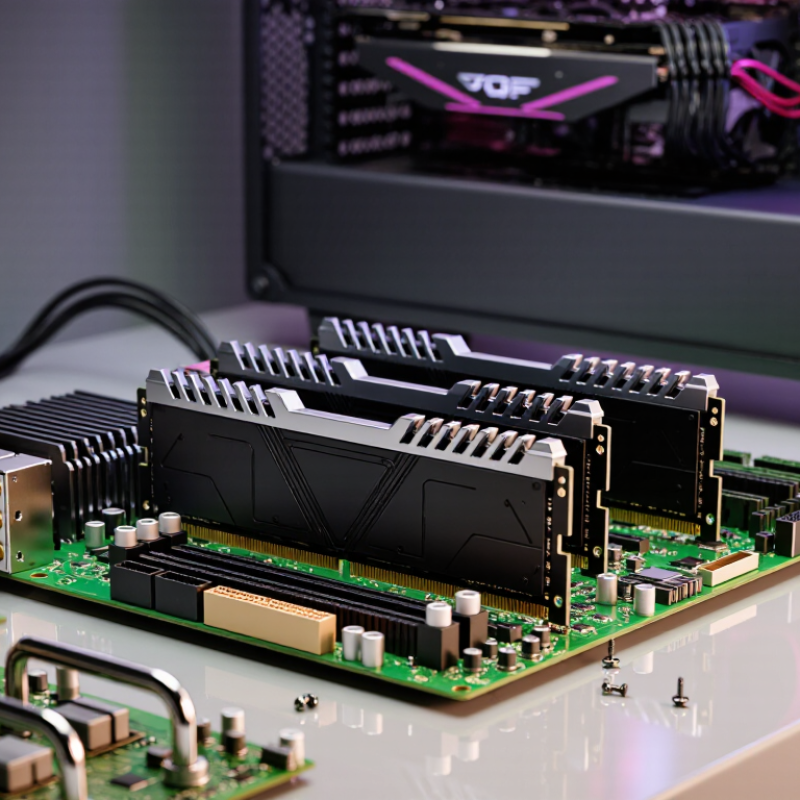
RAM latency describes how quickly memory responds after the processor requests data. CAS latency, or CL, is measured in clock cycles. Lower is better, but speed also matters. A DDR memory kit rated at 6000 MT/s with CL30 has about 10 nanoseconds of CAS latency. A 6000 MT/s kit with CL36 reaches about 12 nanoseconds. The difference seems small. It can still influence repeated memory access.
I used to judge RAM by the lowest CL number alone. That was too simple. Real performance also depends on bandwidth, memory capacity, channel configuration, and the processor’s memory controller. In games, lower latency may improve frame-time consistency and reduce occasional stutter. It will not always create a dramatic average-FPS increase. Memory-heavy editing, compiling, and large data tasks may benefit more from capacity and bandwidth than from a tiny timing improvement.
When choosing low-latency RAM, compare speed and timings together. Check the motherboard’s supported memory range before buying. Use two matching modules when dual-channel operation is available. After installation, run several hours of memory testing and monitor system stability. A profile that boots quickly may still produce errors later. Do not ignore voltage settings or firmware compatibility. In one practical test, slightly slower memory with reliable timings outperformed an aggressive profile that caused random application crashes. That result was inconvenient, but useful.
| Memory Specification | Data Rate (MT/s) |
CAS Latency (CL) |
Calculated CAS Latency (ns) |
Theoretical Bandwidth per 64-bit Channel |
Performance Consideration |
|---|---|---|---|---|---|
| DDR4-2666 | 2666 | 19 | 14.25 ns | 21.3 GB/s | Lower bandwidth and higher latency; suitable for basic systems and general office workloads. |
| DDR4-3200 | 3200 | 16 | 10.00 ns | 25.6 GB/s | A balanced choice with noticeably lower first-word latency for everyday computing and gaming. |
| DDR4-3600 | 3600 | 18 | 10.00 ns | 28.8 GB/s | Maintains the same calculated CAS latency as DDR4-3200 CL16 while providing higher theoretical bandwidth. |
| DDR5-4800 | 4800 | 40 | 16.67 ns | 38.4 GB/s | Offers substantially more bandwidth than DDR4 but has higher calculated CAS latency in this configuration. |
| DDR5-5600 | 5600 | 36 | 12.86 ns | 44.8 GB/s | Improves both bandwidth and calculated latency compared with many entry-level DDR5 configurations. |
| DDR5-6000 | 6000 | 30 | 10.00 ns | 48.0 GB/s | Combines high bandwidth with low calculated CAS latency; a strong target for latency-sensitive workloads. |
| DDR5-6400 | 6400 | 32 | 10.00 ns | 51.2 GB/s | Provides very high bandwidth while keeping calculated CAS latency near 10 ns, subject to platform support. |
RAM latency is the delay after the processor requests data. Lower latency usually means faster response. Small differences can still affect repeated access.
CAS latency, or CL, counts memory clock cycles before data begins returning. A lower CL is helpful, but transfer speed matters too.
DDR5-6000 CL30 provides about 10 nanoseconds of CAS latency. CL36 reaches roughly 12 nanoseconds. The gap looks small, but repeated tasks may reveal it.
Not always. It may improve frame-time consistency and reduce occasional stutter. Average frame rates might barely change in some systems.
It depends on the workload. Editing, compiling, and large datasets often benefit more from capacity and bandwidth. I once judged CL alone. That was too simple.
Confirm the memory generation, supported capacity, channel layout, and transfer-rate limits. DDR4 and DDR5 cannot be interchanged. Check the motherboard’s supported memory list carefully.
Yes, when dual-channel operation is supported. Install paired modules in the recommended slots. Two matching modules are usually easier to stabilize than four.
Higher speeds may require a performance profile, suitable voltage, and updated firmware. Four modules can become unstable, even when each works alone. A quick boot proves little.
Start with default settings and run a memory diagnostic. Then enable the performance profile and test for several hours. Monitor crashes, errors, and temperatures. Stability wins.
Choosing the right low-latency RAM can improve system responsiveness, gaming smoothness, and performance in demanding applications. Understanding the Low latency RAM importance begins with knowing how memory timing and data frequency work together. Lower CAS latency can reduce delays, but frequency, bandwidth, and overall timing must be considered as a complete package. Real-world performance depends on the workload, so comparing specifications alone is not enough.
Before purchasing, identify your system’s memory requirements based on tasks such as gaming, content creation, programming, or multitasking. Check that the RAM’s capacity, speed, voltage, and memory type are supported by your processor and motherboard. After installation, test system stability with reliable diagnostic tools and monitor performance during normal workloads. The best choice is not always the kit with the lowest advertised latency, but the one that offers balanced timing, sufficient capacity, compatibility, stability, and meaningful performance for your specific needs.
