Xeviora
Choosing DDR5 memory for a data center is not simply a matter of selecting the highest advertised speed. Capacity, bandwidth, latency, power use, reliability, and platform compatibility must work together. A modern server may run analytics, virtualization, artificial intelligence, and databases at the same time. Each workload places different pressure on memory. A configuration that performs well in a benchmark may behave differently under sustained rack-level demand.
Industry analyst Jim Handy has observed, “Memory performance is never free; it is paid for through power, cooling, and system complexity.” That principle guides practical decisions about DDR5 memory for data center environments. Higher data rates can improve throughput, but they may also increase energy costs or expose limitations in the processor and motherboard design. Error-correcting code support, registered DIMMs, module density, and vendor validation deserve equal attention. Small details matter. A poorly matched module can leave expensive server capacity underused.
Start with real workload measurements, not assumptions. Record memory utilization, bandwidth demand, thermal conditions, and failure patterns from existing systems. Then compare compatible DDR5 modules under similar conditions. Look closely at total cost over several years, including electricity, cooling, replacement inventory, and downtime risk. The process is not perfectly tidy. Forecasts change, firmware updates intervene, and benchmark results can disappoint. Still, disciplined testing creates a stronger buying decision. The best choice is rarely the fastest module alone. It is the memory design that delivers dependable performance within the data center’s power, reliability, and budget limits.
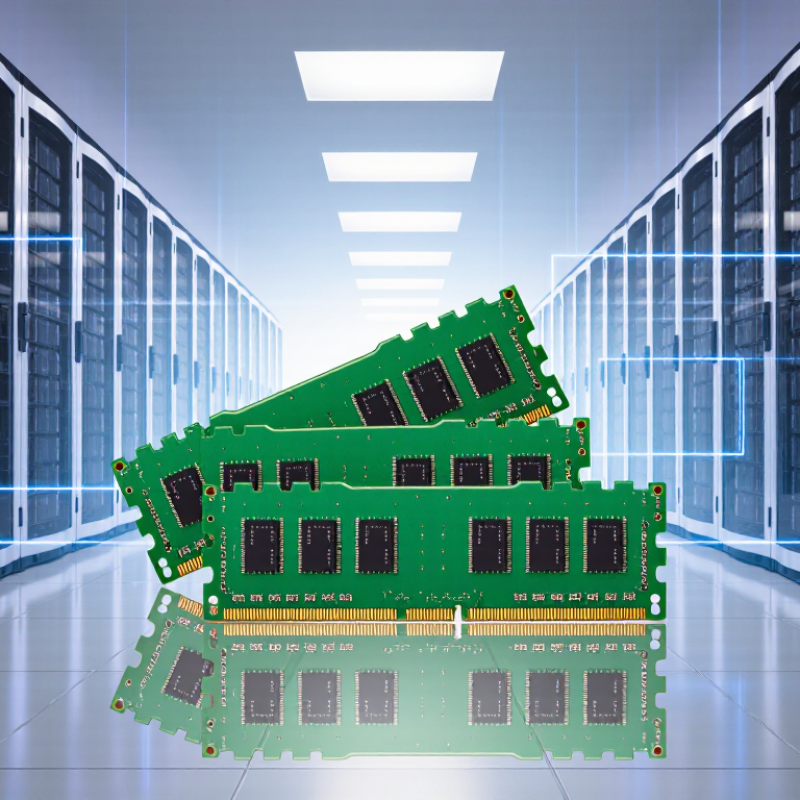
A data center should size DDR5 memory around the work its servers actually perform, not a generic workload label. Profile production systems during busy periods, including concurrent users, batch jobs, and sudden traffic spikes. Measure the peaks. Average usage can hide a short-lived memory bottleneck that slows every request.
Capacity needs vary by application. In-memory databases and large analytics jobs may keep substantial working sets in RAM, while stateless services often need less per server. Virtualized hosts require room for guest operating systems and safe consolidation. Estimate memory per workload, then multiply by the number of instances planned for each host. Leave headroom for growth, failover, and maintenance; an exact fit on paper is often fragile.
Bandwidth matters too, but more capacity does not automatically make an application faster. Check memory-channel utilization, processor count, and whether the workload repeatedly accesses large data sets. Compare those observations with the server’s supported DIMM configurations, since population choices can affect available bandwidth and capacity. Test representative workloads before deployment. That test may still miss a future change in traffic, so document the assumptions and revisit them as usage shifts. I would not treat one week of measurements as a permanent forecast.
For data-center DDR5, read the full specification rather than comparing transfer rates alone. The MT/s rating describes transfers per second, while bandwidth also depends on channel configuration and how the server populates its memory slots. A faster module may deliver little benefit if the processor cannot support that speed with the installed capacity. Check the platform’s supported data rates, DIMM type, and maximum capacity before choosing.
Capacity, latency, and error handling matter just as much. Compare CAS latency in clock cycles, but consider the resulting delay in nanoseconds; a higher data rate does not automatically mean lower real-world latency. For virtual machines and in-memory databases, insufficient capacity can trigger paging and erase gains from faster memory. On-die ECC can correct certain errors within a chip, but it does not replace system-level ECC. Check the server’s supported ECC and registered-DIMM requirements. Measure the workload.
Power and population rules can also affect performance. DDR5 operates at a lower nominal voltage than DDR4, but total memory power still depends on capacity, module design, and workload. Test representative jobs while tracking throughput, latency, and memory errors. There is no universally best speed. Results may be messier than a specification sheet suggests, especially when a server mixes capacity needs with strict performance targets. I would treat benchmark results as evidence, not a promise.
| Selection Dimension | Specification or Metric | What It Means for Performance | Data-Center Selection Guidance |
|---|---|---|---|
| Data rate | Common DDR5 data rates include 4,800, 5,200, 5,600, and 6,400 MT/s. | Higher data rates can increase peak bandwidth, but realized performance depends on the processor, memory configuration, workload, and supported operating speed. | Check the server platform’s qualified memory speeds and population rules. A DIMM may run below its rated speed when required by the platform configuration. |
| Theoretical bandwidth | For a 64-bit data path, bandwidth is approximately data rate × 8 bytes. DDR5-4,800 provides 38.4 GB/s; DDR5-5,600 provides 44.8 GB/s; DDR5-6,400 provides 51.2 GB/s. | These are theoretical per-64-bit-path figures, not guaranteed application throughput. Aggregate bandwidth depends on the number of active memory channels. | Compare configurations using the platform’s total channel count and planned DIMM population, rather than relying on a per-DIMM figure alone. |
| Latency | CAS latency (CL) is specified in clock cycles. Approximate CAS time in nanoseconds = CL × 2,000 ÷ data rate in MT/s. For example, DDR5-5,600 CL46 is about 16.4 ns. | A higher data rate does not automatically mean lower latency. CAS time is only one part of total memory access latency. | Compare timings at the supported operating speed, and evaluate application benchmarks for latency-sensitive workloads. |
| DIMM type | Common server memory types include ECC registered DIMMs (RDIMMs) and, on some platforms, load-reduced DIMMs (LRDIMMs). | Registered or load-reduced designs help platforms support their specified memory configurations; they are not interchangeable with every DIMM type. | Use only the type supported by the server and processor. Do not mix RDIMMs and LRDIMMs unless the platform documentation explicitly permits it. |
| Error correction | System-level ECC DIMMs provide extra bits for error detection and correction. DDR5 on-die ECC corrects certain errors inside the DRAM device. | On-die ECC is internal to the memory chip and does not replace system-level ECC or end-to-end data protection. | For workloads requiring memory error protection, verify that the server supports and enables system-level ECC; confirm reporting and management features separately. |
| DDR5 subchannels | A standard DDR5 DIMM divides its data interface into two independent 32-bit subchannels. | Subchannels can improve access flexibility and parallelism. They do not double the total data width of a conventional 64-bit DIMM data interface. | Check the platform’s channel and DIMM topology when planning population; distinguish a DIMM’s subchannels from the processor’s memory channels. |
| Capacity and rank | DIMM capacity and rank count vary by module design. Supported capacities and ranks depend on the processor and server platform. | More capacity can reduce storage-tier access, while rank and population choices may affect achievable speed and electrical loading. | Choose capacity to meet workload and growth needs, then validate the exact module organization and maximum supported capacity against platform documentation. |
| Operating voltage | DDR5 standard nominal DRAM supply voltage is 1.1 V. | Voltage alone does not determine performance. Supported speed and timings are established by the memory module and platform configuration. | Use modules that meet the platform’s electrical and thermal requirements. Avoid assuming that an advertised profile will be enabled in a server. |
| Memory population | Supported speed can depend on the number of DIMMs per channel, rank count, and which slots are populated. | Filling more slots may increase total capacity and channel utilization, but some configurations operate at a lower supported data rate. | Follow the server’s slot-order and population matrix. For bandwidth-sensitive workloads, populate channels evenly where the platform guidance recommends it. |
| Reliability and validation | Relevant checks include platform qualification, ECC operation, memory error reporting, thermal limits, and sustained workload testing. | Stable performance under sustained load matters more than a peak specification in isolation. | Validate the complete configuration under representative workloads, monitor corrected and uncorrected error reporting, and retain a consistent supported DIMM configuration. |
Before ordering DDR5, check the server’s exact processor generation, motherboard revision, and firmware support. DDR5 modules are not interchangeable by appearance alone. A server designed for registered ECC DIMMs may reject unbuffered modules, even when capacity and speed seem suitable. Check the platform’s qualified-memory list, maximum capacity per socket, supported ranks, and permitted DIMMs per channel. Small details matter.
Population rules affect performance. A system may support a higher transfer rate with one DIMM per channel than with two, so compare the planned layout with the platform manual. JEDEC’s DDR5 standard covers data rates up to 6400 MT/s, but that is not a promise that every server will run at that speed. The processor, DIMM count, and firmware all matter. Test the intended configuration, not just one sample module. A spreadsheet can miss a BIOS dependency; that is an easy assumption to make.
Reliability is part of compatibility. Uptime Institute’s 2024 outage analysis reported that 54% of respondents’ most recent significant outages cost more than $100,000. That figure does not isolate memory failures, but it shows why validation matters.
Confirm error-correction support, run the vendor’s memory diagnostics, and verify logs after a full population test. Record the DIMM slots and firmware version. It sounds tedious. It prevents guesswork later.
Choosing DDR5 memory for a data center starts with the workload, not the highest advertised speed. For databases and virtualization, prioritize validated capacity, stable operation, and platform-supported data rates. Review module type, rank layout, and the server’s qualified-memory list before ordering. A tidy specification sheet can still mislead. Run memory diagnostics under representative load, then track corrected-error counts after deployment. Rising counts deserve investigation, even when applications appear normal.
Thermal behavior matters in dense racks. Check airflow around DIMMs, inlet temperature, and fan policy; a blocked panel can change local conditions. Monitor temperatures during sustained workloads, not just brief tests. Error correction needs careful interpretation. DDR5 on-die ECC helps correct internal cell errors, but it does not replace system-level ECC or platform reliability features. Confirm that the processor and motherboard support the desired ECC mode, and verify that error events reach system logs. ECC labels can imply different levels of protection, so check the documentation. I would not assume the first test tells the whole story.
Tips: Record temperatures and corrected-error rates over several busy days. Compare results after changes to airflow or memory configuration. Keep notes; small patterns are easy to miss.
Compare memory options by total cost, not module price alone. Include power use, cooling demand, usable capacity, and the cost of downtime. A lower-cost configuration may require more modules to meet capacity targets, adding power draw and heat. Not the whole bill. Check that the chosen speed and capacity match the server platform’s supported configuration. Small differences matter across a large rack.
Before broad deployment, test the exact memory configuration under representative workloads. Run sustained load tests, monitor corrected and uncorrected errors, and check temperatures during peak activity. Confirm that firmware reports the expected capacity and operating speed. A spreadsheet can still mislead: projected energy savings may not appear under your actual workload. Record results, then compare them with baseline performance and operating costs. Pilot a small group of servers first, and keep a rollback plan. It takes time. That effort is useful, though testing cannot predict every workload change or future hardware interaction.
It measures transfers per second, not complete system bandwidth. Bandwidth also depends on channels, slot population, and processor support.
Not automatically. A server may reduce the speed when capacity or slot population increases. Check supported speeds first.
Compare CAS latency in cycles and calculate the delay in nanoseconds. A higher data rate may still produce higher real-world latency.
Insufficient capacity can trigger paging and erase speed improvements. Picture several virtual machines competing for limited memory. That bottleneck becomes expensive.
No. On-die ECC corrects certain errors inside a memory chip. System-level ECC requirements still depend on the server and its supported DIMM type.
More modules can increase power use, heat, and cooling demand. A lower-cost configuration may need extra modules. The total result can be surprising.
Test representative workloads with sustained load runs. Track throughput, latency, temperatures, and corrected or uncorrected memory errors. Check reported capacity and speed.
Include module cost, power, cooling, usable capacity, and downtime risk. Small differences multiply across a large rack. The spreadsheet may still be wrong.
A small pilot helps compare results with baseline performance and operating costs. Keep a rollback plan. Testing cannot predict every future workload change.
Choosing DDR5 memory for data center workloads begins with understanding the applications, expected user demand, and capacity needed now and as services grow. Performance should be assessed through relevant specifications such as data rate, latency, and module capacity, while recognizing that the best balance depends on the workload rather than a single metric. Before purchasing, confirm that the memory type and configuration are supported by the server platform, including its processor, motherboard, and recommended population rules.
Reliability and operating conditions also matter. Consider error-correction capabilities, thermal requirements, and the environment in which the servers will run. Compare the full cost of ownership, including capacity, power, and potential maintenance needs, rather than focusing only on purchase price. Finally, validate the selected memory in a representative deployment and monitor stability and performance before expanding it across the data center.
