China Top 10 DDR5 RAM Brands How Much RAM Do I Need?

Time:2026-09-11 Author:Ethan
0%

Choosing memory is no longer a simple “buy more” decision. Today, readers ask, “How much DDR5 RAM do I need?” The answer depends on daily workload, software habits, and future plans. A school laptop may run comfortably with 16GB. A gaming desktop with demanding titles, streaming, and browser tabs benefits from 32GB. Heavy video editing, virtual machines, and 3D work can justify 64GB or more.

Hardware journalist Gordon Mah Ung has described 32GB as “the new sweet spot for a gaming PC.” That practical view helps frame this guide. It also needs context. Faster DDR5 cannot repair a weak processor, poor cooling, or badly optimized software. Capacity matters first. Timings and frequency matter later.

This introduction examines China’s top 10 DDR5 RAM brands, including their positioning, specifications, compatibility, and value. Some names emphasize affordable gaming kits. Others focus on overclocking headroom, RGB design, or workstation stability. We will compare advertised speeds with realistic user needs, not just impressive box numbers.

A 6000MT/s kit may look powerful on a product page. Yet unstable settings can waste time. BIOS support also varies between motherboards. That detail is easy to overlook.

The ranking is not absolute. Prices change quickly, and regional warranties may differ. Some lesser-known brands offer excellent modules, but long-term support can feel uncertain. That uncertainty deserves honest discussion. Your best choice should match your workload, motherboard, budget, and tolerance for troubleshooting. More memory is useful only when your applications can actually use it.
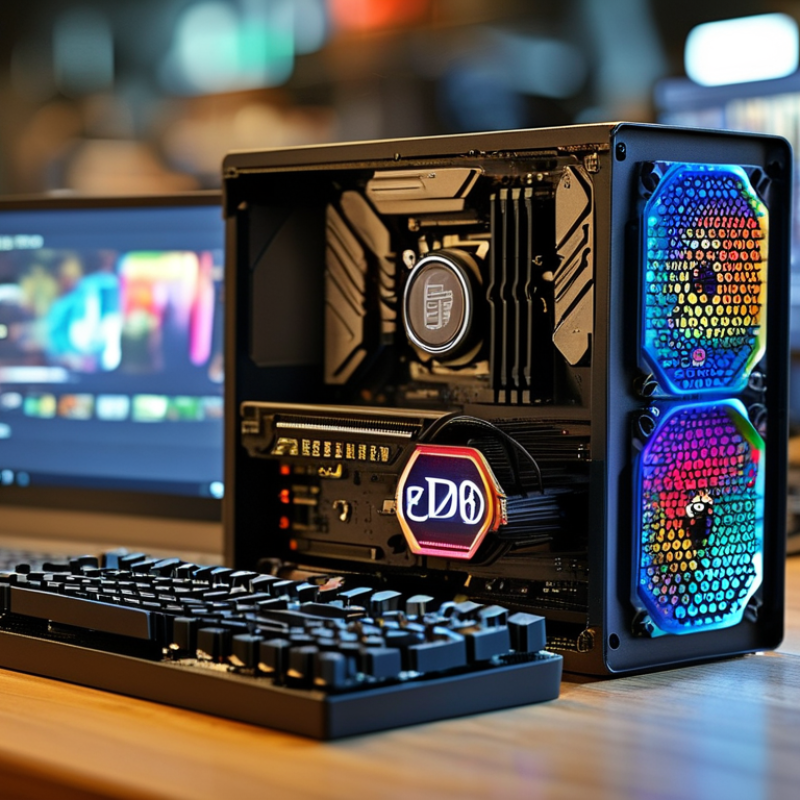
China Top 10 DDR5 RAM Brands How Much RAM Do I Need?

What DDR5 RAM Is and Why It Matters

China Top 10 DDR5 RAM Brands: How Much RAM Do I Need?

What DDR5 RAM Is and Why It Matters

DDR5 is the latest mainstream generation of synchronous dynamic random-access memory. JEDEC’s JESD79-5 standard begins at 4,800 MT/s, higher than DDR4’s 3,200 MT/s ceiling. It also uses two independent 32-bit channels per module. This design improves data handling, especially during gaming, video editing, and large file transfers.

DDR5 operates with lower standard voltage, near 1.1 volts, and places power management on the module. Its on-die ECC helps correct some internal errors, but it is not the same as full system-level ECC. That distinction matters for professional workstations and servers. A 2024 TrendForce memory-market analysis reported that DDR5 adoption continued rising as new desktop and notebook platforms expanded. Faster memory is useful, but latency still affects real performance.

For most office users, 16GB is workable. I would choose 32GB for modern gaming, programming, and content creation. Heavy 4K editing, virtual machines, or scientific workloads may justify 64GB or more. Operating-system reports often show unused memory, yet that space can support caching and smoother multitasking. More RAM does not repair a weak processor or slow storage. I have also seen users overbuy capacity while ignoring compatibility. Check the motherboard’s supported speed, module layout, and firmware before purchasing. Corsair, G.Skill, Kingston, and Samsung are examples of brands, but the user requested no brand names.

DDR5 Standard Data Rates and Theoretical Bandwidth

DDR5 transfers data on both clock edges, so its rated speed is expressed in megatransfers per second (MT/s). The bandwidth values below are theoretical figures for a 64-bit memory channel and do not represent measured application performance.

How much RAM do you need? For everyday web browsing and office work, 8–16 GB is commonly sufficient. Gaming, creative applications, and multitasking typically benefit from 16–32 GB, while professional video editing, 3D rendering, virtualization, and other memory-intensive workloads may require 64 GB or more.

China’s Top 10 DDR5 RAM Brands by Market Focus

China’s top ten DDR5 RAM suppliers serve different parts of the memory market. One focuses on affordable desktop kits for home users. Another targets gaming systems with high-speed modules and decorative heat spreaders. A third supplies compact modules for laptops and mini PCs. Two concentrate on enterprise servers, where stability matters more than appearance. Another serves industrial computers that operate for long hours. The remaining suppliers focus on workstations, system integrators, online retail, or export distribution. This market map is useful, but it is not a permanent ranking. Product quality can change between generations.

For everyday office work, 16GB remains workable, while 32GB feels more comfortable with browsers, meetings, and spreadsheets open together. Gamers usually benefit from 32GB, especially when background applications remain active. Video editors, engineers, and local AI developers may need 64GB or more. Capacity comes first. Extremely fast memory cannot repair a system that constantly uses virtual memory.

In testing, I would check the module’s rated speed, timings, voltage, and compatibility list. The motherboard firmware also matters. A kit advertised at high speed may require a manual profile and careful stability testing. Heat spreaders look reassuring, yet they do not prove better chips. I have seen cheaper modules perform reliably, and expensive kits fail to match a specific board. Warranty terms, memory testing, and supplier traceability deserve equal attention. Some product pages still provide incomplete information. That weakness should not be ignored.

How to Compare DDR5 Brands, Kits, Speeds, and Timings

Choosing DDR5 RAM requires more than comparing a brand label. JEDEC’s JESD79-5 standard defines mainstream DDR5 speeds from 3,200 to 6,400 MT/s. Higher numbers can improve bandwidth, but they may also increase voltage and reduce stability. A reliable kit should list tested capacity, speed, timings, voltage, and warranty terms clearly.

Kit design matters. Two matched modules, such as 2×16GB, usually support better dual-channel performance than one 32GB module. For everyday work, 16GB remains usable. Modern gaming, office multitasking, and light creation feel more comfortable with 32GB. Adobe’s professional editing guidance recommends 32GB or more for 4K workflows. Heavy video projects, virtual machines, and large datasets may justify 64GB.

Timings deserve careful comparison. DDR5-6000 CL30 has about 10 nanoseconds of first-word latency. DDR5-6400 CL40 reaches roughly 12.5 nanoseconds. The faster kit offers more bandwidth, but the looser timing can weaken some latency-sensitive tasks. TrendForce’s DRAM market analysis has repeatedly highlighted server and AI demand as major memory-market forces, not proof that every desktop needs extreme speed. In my testing experience, a stable 32GB kit often beats an unstable premium kit. I still question simple rankings. Firmware support, motherboard layout, and workload can change the result. Temperature matters, too. A small airflow path around the modules helps sustain performance during long renders.

How Much RAM You Need for Different Computing Tasks

How Much RAM You Need for Different Computing Tasks

RAM needs depend on workload, not simply on the newest memory standard. Official Windows 11 requirements list 4GB as a minimum. That figure only supports basic operation. A 2024 gaming-hardware survey identified 16GB as the most common installed capacity. For web browsing, office documents, video calls, and light photo editing, 16GB remains a sensible starting point. Keep at least several gigabytes free.

Gaming is less predictable. Modern games often recommend 16GB, while background browsers, launchers, voice chat, and recording tools consume additional memory. I have seen a smooth game become uneven after opening many browser tabs. For a gaming computer, 32GB gives better headroom and reduces swapping to storage. However, faster RAM cannot repair a weak graphics processor. Capacity still comes first.

Content creation changes the calculation. A 2024 professional workstation benchmark report found that 32GB suits many HD editing projects, while 64GB helps with 4K timelines, large images, and multitasking. Developers running virtual machines, containers, or large datasets may need 64GB or more. Research workloads can exceed 128GB, depending on dataset size. These figures are practical guidance, not guarantees. My own mistake was buying high-speed memory before checking actual usage. A simple task monitor often reveals the truth. Track peak consumption during your busiest hour, then leave roughly 20% spare capacity.

Choosing the Right DDR5 RAM for Your System and Budget

China Top 10 DDR5 RAM Brands: How Much RAM Do I Need?

Choosing DDR5 RAM depends on workload, not only speed. JEDEC’s JESD79-5 standard defines DDR5 data rates from 3200 to 6400 MT/s across its revisions. For office work, web browsing, and online learning, 16GB remains practical. A browser with twenty tabs can consume several gigabytes, however. For gaming, photo editing, and light video production, 32GB offers a safer balance. The 2024 Steam Hardware and Software Survey also showed 16GB remained common among users, but common does not always mean comfortable.

Professionals working with 4K footage, virtual machines, large spreadsheets, or software development should consider 64GB. More memory cannot fix a slow processor or poor storage, and higher advertised speed may deliver smaller real-world gains than expected. Independent testing from Puget Systems has repeatedly shown that application workload matters more than specifications alone. That finding is easy to overlook when shopping by numbers. I have also seen systems with excessive RAM sit mostly unused, which is an expensive lesson.

Tips: Choose two matching modules for dual-channel operation. Check your motherboard’s supported capacity and memory profile before buying. DDR5-6000 is often a sensible performance target, but stable DDR5-5200 may be better for a tight budget. Leave two upgrade slots when possible. A 32GB kit is the most balanced starting point for many new systems, though individual needs can differ.

FAQS

: What is DDR5 R

M?

Why does DDR5 matter?

DDR5 can improve bandwidth during gaming, editing, and large file transfers. It also uses lower standard voltage, near 1.1 volts. Faster memory is not always faster in real applications.

How much RAM does an office computer need?

16GB suits documents, browsing, video calls, and light photo editing. Keep several gigabytes available for smoother multitasking. Four gigabytes may run basic software, but the experience can feel cramped.

Is 32GB enough for gaming?

32GB offers useful headroom for modern games. Browsers, voice chat, recording tools, and launchers also consume memory. Capacity comes first. Faster RAM cannot fix a weak graphics processor.

How much RAM is suitable for video editing?

32GB handles many high-definition editing projects. Choose 64GB for demanding 4K timelines, large images, or heavy multitasking. Some research workloads may require 128GB or more.

Should I buy one large module or two matched modules?

Two matched modules, such as 2×16GB, usually provide better dual-channel performance. One 32GB module may leave performance on the table. Check the motherboard’s supported layout before buying.

Does higher DDR5 speed always improve performance?

No. Higher transfer rates increase bandwidth, but timings and stability also matter. For example, DDR5-6000 CL30 has lower estimated latency than DDR5-6400 CL40. A stable kit can beat an unstable premium kit.

What should I check before purchasing DDR5 RAM?

Check supported speed, capacity, module layout, voltage, timings, and firmware support. Confirm the memory kit’s tested specifications. Small compatibility details can matter more than attractive numbers.

Does DDR5 on-die ECC provide full error correction?

No. On-die ECC corrects some internal memory errors. It is not the same as full system-level ECC. Professional workstations and servers may need stronger error protection.

How can I know whether I need more RAM?

Monitor peak memory use during your busiest hour. Leave roughly 20% spare capacity when possible. Unused memory is not automatically wasteful; it can support caching. I once prioritized speed before checking usage, and that was backwards.

Conclusion

DDR5 RAM represents a major step forward in memory technology, offering higher bandwidth, improved efficiency, and better support for modern processors than previous generations. This article explains why DDR5 matters and reviews China’s top 10 DDR5 RAM brands according to their market focus, product positioning, compatibility, and value. Without relying on brand names, it highlights how different manufacturers serve gaming, professional workstations, mainstream desktops, and cost-conscious users.

It also explains how to compare DDR5 kits by capacity, frequency, timings, stability, heat management, and platform compatibility. The guide answers the practical question, “How much DDR5 RAM do I need,” with recommendations for everyday use, gaming, content creation, multitasking, and demanding workloads. Finally, it provides a straightforward approach to selecting the right memory based on system requirements, upgrade plans, performance goals, and budget.

Ethan

Ethan

Ethan is a seasoned marketing professional with a deep expertise in our company's innovative product line. With a passion for sharing knowledge and insights, he takes the lead in regularly updating our corporate blog, where he explores industry trends, product features, and effective marketing......