 Xeviora
Xeviora
Xeviora
For global buyers, selecting DDR5 in 2026 means more than choosing the highest number on a product page. High frequency DDR5 benefits can include faster data movement, stronger bandwidth, and smoother performance in memory-sensitive workloads. These gains matter in AI development, content creation, gaming, simulation, and large business databases. A 7,200 MT/s module may reduce waiting during repeated file transfers. Yet the result depends on the processor, motherboard, firmware, and application design. Higher speed is not automatically better. It may also require careful tuning, stable power delivery, and updated BIOS support. Compatibility comes first. This guide examines practical value rather than marketing claims. It considers speed, latency, capacity, thermals, reliability, and total ownership cost.
Reliable purchasing requires evidence. Buyers should compare JEDEC specifications, tested profiles, error correction options, warranty terms, and supplier traceability. Independent benchmarks should use matching capacities and identical processors. Otherwise, impressive charts can hide unfair comparisons. Regional factors also matter. Voltage standards, import rules, after-sales service, and replacement timelines can change the real value of a memory kit. Professional buyers may need long-term availability, while enthusiasts may accept manual overclocking. Neither choice fits every system. In field testing, a stable 6,400 MT/s configuration can outperform an unstable 7,200 MT/s setup. That lesson is easy to overlook. This introduction keeps a cautious perspective. It highlights measurable improvements, but it also recognizes uncertainty, silicon variation, and changing platform support. The best purchase is not always the fastest one. It is the one that remains dependable after installation, updates, and sustained daily use.
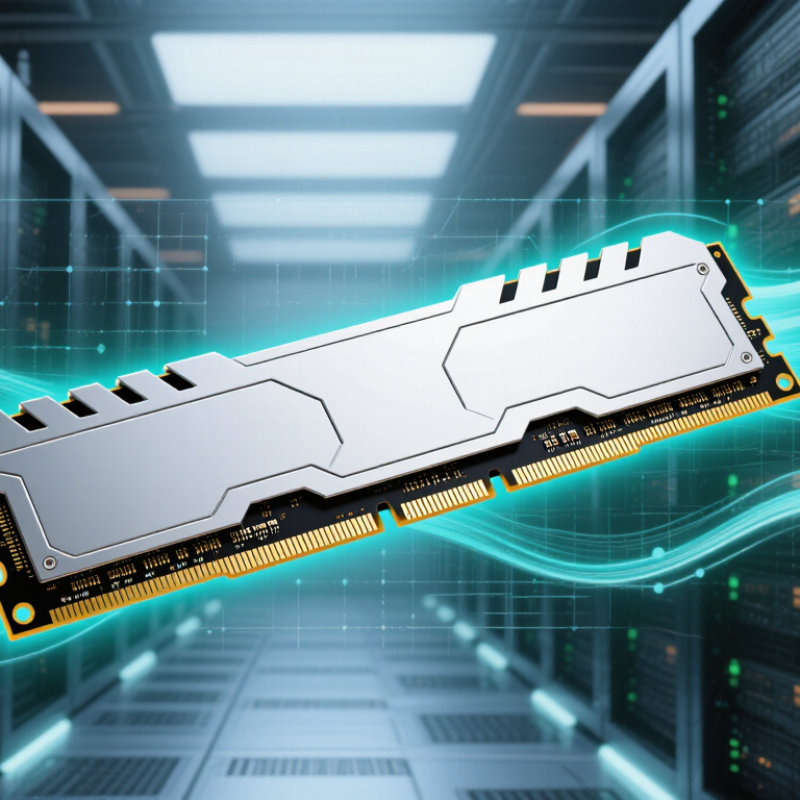
DDR5 high-frequency memory refers to modules operating at elevated data-transfer rates, measured in MT/s rather than traditional MHz. Higher transfer rates can move more data between the processor and memory controller. This helps demanding workloads, including 3D rendering, scientific analysis, and high-frame-rate gaming. Speed alone is not everything.
DDR5 uses two independent 32-bit subchannels per module, improving access efficiency and reducing unnecessary waiting. Its on-die ECC helps correct certain internal data errors during chip operation. However, it does not replace system-level error-correcting memory. A power management integrated circuit also regulates voltage directly on the module. This design can improve power control, but it may increase heat around the memory area.
In practical evaluations, I check rated speed, timings, voltage, capacity, and motherboard support together. A 7,200 MT/s kit may perform poorly if the processor’s memory controller cannot sustain it. Firmware settings matter. Cooling matters too. Long workloads can expose instability that a short benchmark misses. Global buyers should verify regional specifications, platform compatibility, warranty terms, and electrical standards before ordering. Mixing different modules often creates trouble. More capacity can be wiser than extreme frequency for large datasets. I have also seen systems boot successfully but produce occasional application errors later. That is why extended memory testing remains essential, even when every advertised specification appears correct.
| Data Dimension | DDR5-4800 | DDR5-5600 | DDR5-6400 | Buyer Benefit and Technical Meaning |
|---|---|---|---|---|
| Effective Data Rate | 4,800 MT/s | 5,600 MT/s | 6,400 MT/s | Higher MT/s enables more data transfers per second. MT/s describes transfer rate and is not the same as clock frequency in MHz. |
| Theoretical Bandwidth per 64-bit Channel | 38.4 GB/s | 44.8 GB/s | 51.2 GB/s | Calculated as MT/s × 8 bytes. Higher bandwidth benefits data-intensive workloads when the processor and software can use it. |
| Theoretical Dual-Channel Bandwidth | 76.8 GB/s | 89.6 GB/s | 102.4 GB/s | Dual-channel operation doubles the aggregate theoretical bandwidth, provided the platform supports and enables two-channel operation. |
| Nominal DRAM Supply Voltage | Approximately 1.1 V | Approximately 1.1 V | Approximately 1.1 V | DDR5 uses a lower nominal DRAM voltage than DDR4. Actual module power also depends on capacity, timings, workload, and power-management settings. |
| Module Power Management | PMIC on module | PMIC on module | PMIC on module | A power-management integrated circuit on the module helps regulate and distribute operating voltages more locally than older desktop memory designs. |
| Independent Subchannels | Two 32-bit subchannels per standard 64-bit module interface | Two 32-bit subchannels per standard 64-bit module interface | Two 32-bit subchannels per standard 64-bit module interface | Independent subchannels can improve command and data-bus utilization, especially for workloads with smaller or more concurrent memory requests. |
| Burst Length | BL16 | BL16 | BL16 | A burst length of 16 transfers supports efficient delivery of larger sequential data blocks and contributes to DDR5’s higher data throughput. |
| Bank Organization | 32 banks in 8 bank groups | 32 banks in 8 bank groups | 32 banks in 8 bank groups | More banks and bank groups increase parallelism and can help the memory controller service multiple outstanding requests. |
| On-Die ECC | Supported in DDR5 DRAM devices | Supported in DDR5 DRAM devices | Supported in DDR5 DRAM devices | On-die ECC helps correct certain internal DRAM-cell errors. It is not a replacement for platform-level ECC memory or server error reporting. |
| Common Capacity Options | 8 GB, 16 GB, 32 GB and higher | 8 GB, 16 GB, 32 GB and higher | 16 GB, 32 GB and higher | Capacity depends on the module design and platform limits. Buyers should verify the motherboard or system’s maximum supported capacity and module configuration. |
| Best-Fit Workloads | General productivity, office systems and entry-level content creation | Gaming, software development, multitasking and mainstream content creation | High-resolution content creation, simulation, analytics and bandwidth-sensitive computing | Higher frequency is most valuable when the workload is memory-bandwidth limited; it may provide limited gains in latency-sensitive or compute-limited applications. |
| Compatibility Requirement | DDR5-compatible processor and motherboard | DDR5-compatible processor and motherboard | DDR5-compatible processor and motherboard | DDR5 modules are not electrically interchangeable with DDR4. The module type, supported speed, capacity, timings and firmware should be checked before purchase. |
| Global Procurement Check | Verify voltage, module type and operating profile | Verify speed support and memory-controller limits | Verify board validation, stability and cooling conditions | For international purchasing, compare the published specification, warranty terms, regional compliance requirements and system qualification rather than relying only on frequency. |
Note: Bandwidth figures are theoretical maximums based on standard 64-bit channel width. Actual performance varies with memory timings, controller design, software workload, module configuration, firmware and system thermal conditions.
It describes memory with elevated data-transfer rates, measured in MT/s rather than traditional MHz. Higher rates can move more data between the processor and memory controller. Speed is not everything.
High-frequency memory may help 3D rendering, scientific analysis, and high-frame-rate gaming. It can improve frame consistency when the processor limits performance. Office users may notice little difference.
The processor’s memory controller and motherboard determine achievable speed. A 7,200 MT/s kit may run below its rating or become unstable. Check firmware support before purchasing.
No. On-die ECC corrects certain internal chip errors during operation. It does not replace system-level error-correcting memory. This distinction is easy to overlook.
Compare frequency, timings, voltage, capacity, and platform support together. A larger capacity may help more with large datasets than extreme frequency. Numbers alone can mislead.
Its power management circuit regulates voltage on the module. This can improve power control but may increase local heat. Cooling matters. Long workloads can reveal instability.
Mixing modules often creates compatibility problems, even when each module works alone. A two-module setup is usually easier to validate than four modules. Still, this is not universal.
Test the buyer’s processor and motherboard together. Run extended memory tests, application workloads, and cold-boot checks. Review regional voltage standards, temperatures, stock, and warranty service. A system can boot successfully and still produce application errors later. That happened to me.
High frequency DDR5 benefits include faster data transfer, improved responsiveness, and stronger multitasking performance for modern computing systems. By increasing memory bandwidth, high-frequency DDR5 can help processors handle demanding workloads such as gaming, content creation, data analysis, artificial intelligence, and professional applications more efficiently. Its advanced architecture also supports greater capacity, better parallel processing, and improved overall system fluidity compared with older memory technologies.
For global buyers, selecting high-frequency DDR5 requires more than focusing on speed alone. Compatibility with the motherboard and processor, supported capacity, memory timing, cooling conditions, and power efficiency should all be evaluated. Different markets and use cases may prioritize different features: business computers may require stability and balanced power consumption, while workstations and performance-focused systems may benefit from higher frequencies and larger capacities. A practical choice should match the system requirements, regional availability, budget, and intended workload to ensure reliable long-term value.
